Small businesses face many of the same cyber threats as large organizations, but they often have fewer resources to detect and respond to attacks. A single compromised account, infected computer, exposed website, or stolen password can disrupt daily operations and put sensitive customer information at risk.
This is where cyber security monitoring becomes essential.
Instead of relying only on occasional security checks, businesses can use continuous monitoring to identify suspicious activity, detect potential vulnerabilities, and respond to security risks before they escalate. With a 24/7 monitoring approach, business owners can improve visibility into their digital environments without needing to watch every system manually.
In this guide, we explain how cyber security monitoring works, why small businesses need it, which features matter most, and how to choose a suitable monitoring solution. We will also explore how Sentinal can fit into a proactive security strategy.
What Is Cyber Security Monitoring?
Cyber security monitoring is the continuous or regularly scheduled observation of digital systems, accounts, networks, websites, and other technology assets to identify suspicious activity, security weaknesses, and potential cyber threats.
Depending on the solution, monitoring may include reviewing security events, detecting unusual login behavior, identifying exposed services, checking website security, or notifying users about potential vulnerabilities.
The main goal is to help businesses discover security problems as early as possible.
For example, if an account begins showing unusual login activity, a monitoring system may flag the behavior for investigation. If a website develops a security issue, monitoring may help identify the problem before it causes further damage.
Cyber security monitoring does not guarantee that every attack will be prevented. Its value comes from improving visibility, reducing detection delays, and helping teams make informed security decisions.
Why Do Small Businesses Need 24/7 Cyber Security Monitoring?
Many small businesses assume cybercriminals primarily target banks, governments, and large enterprises. In reality, smaller organizations can also be attractive targets because they may have limited security resources, outdated software, or weak access controls.
Here are the main reasons continuous security monitoring matters.
1. Cyber Threats Can Occur at Any Time
Cyber incidents do not follow business hours. Suspicious logins, automated attacks, and attempts to exploit exposed systems can occur overnight, during weekends, or while employees are away.
A 24/7 monitoring approach helps maintain visibility outside normal working hours. Depending on the product, alerts may be generated automatically even when no employee is actively checking a dashboard.
2. Early Detection Can Reduce Damage
The longer a security incident remains undetected, the more opportunity an attacker may have to access additional systems, steal information, or disrupt operations.
Monitoring can help identify warning signs sooner, allowing a business to investigate and take appropriate action.
3. Small Businesses Often Lack Dedicated Security Teams
Hiring a full-time security operations team may not be practical for a small company. Monitoring tools can help organize security information, identify suspicious events, and prioritize issues that need attention.
However, automated monitoring is not always a replacement for security professionals or a managed security service. Businesses should understand which tasks a tool performs automatically and which require human intervention.
4. Digital Assets Need Ongoing Visibility
A business may depend on its website, cloud services, employee accounts, email systems, customer databases, and third-party applications.
Each connected asset can introduce security risks. Monitoring helps businesses maintain a clearer picture of their digital environment and identify issues that deserve further investigation.
What Does Cyber Security Monitoring Actually Monitor?
The exact coverage depends on the platform, integrations, and configuration. Common monitoring areas include the following.
Website and Domain Security
Websites are important business assets, especially for companies that generate leads, accept orders, or manage customer information online.
Website and domain security checks may help identify:
- Unexpected changes to website content or configuration.
- Known vulnerabilities in software and components.
- Expired or incorrectly configured SSL/TLS certificates.
- Suspicious redirects or indicators of compromise.
- Exposed services that require further investigation.
A security scan provides a useful snapshot, but ongoing monitoring can help identify changes between scheduled assessments.
Suspicious Login Activity
Compromised credentials are a major security concern. Monitoring solutions that integrate with supported identity or authentication systems may identify unusual login patterns, repeated failed attempts, or other suspicious account activity.
These signals should be reviewed in context because legitimate employees can also trigger security alerts when traveling, changing devices, or using a VPN.
Network and Exposed Services
Internet-facing services can become entry points when they are misconfigured, outdated, or unintentionally exposed.
Depending on its capabilities, a monitoring solution may help identify publicly accessible services, unexpected exposure, or changes to a known asset inventory.
Businesses should only scan systems they own or have explicit permission to assess.
Vulnerabilities and Software Risks
Software vulnerabilities can give attackers opportunities to exploit weaknesses in applications, operating systems, plugins, and other components.
Monitoring and vulnerability assessment can help teams identify known issues, understand their potential severity, and prioritize remediation.
Not every vulnerability is actively exploitable in every environment, so findings should be validated and assessed according to business risk.
Email and Credential Exposure
Business email accounts often provide access to customer conversations, invoices, password-reset workflows, and sensitive documents.
Depending on the available data sources, security monitoring may help identify exposed credentials, suspicious account behavior, or email-related security weaknesses.
Businesses should also use multifactor authentication, strong password practices, and secure account recovery procedures.
Cyber Security Monitoring vs. Traditional Security Checks
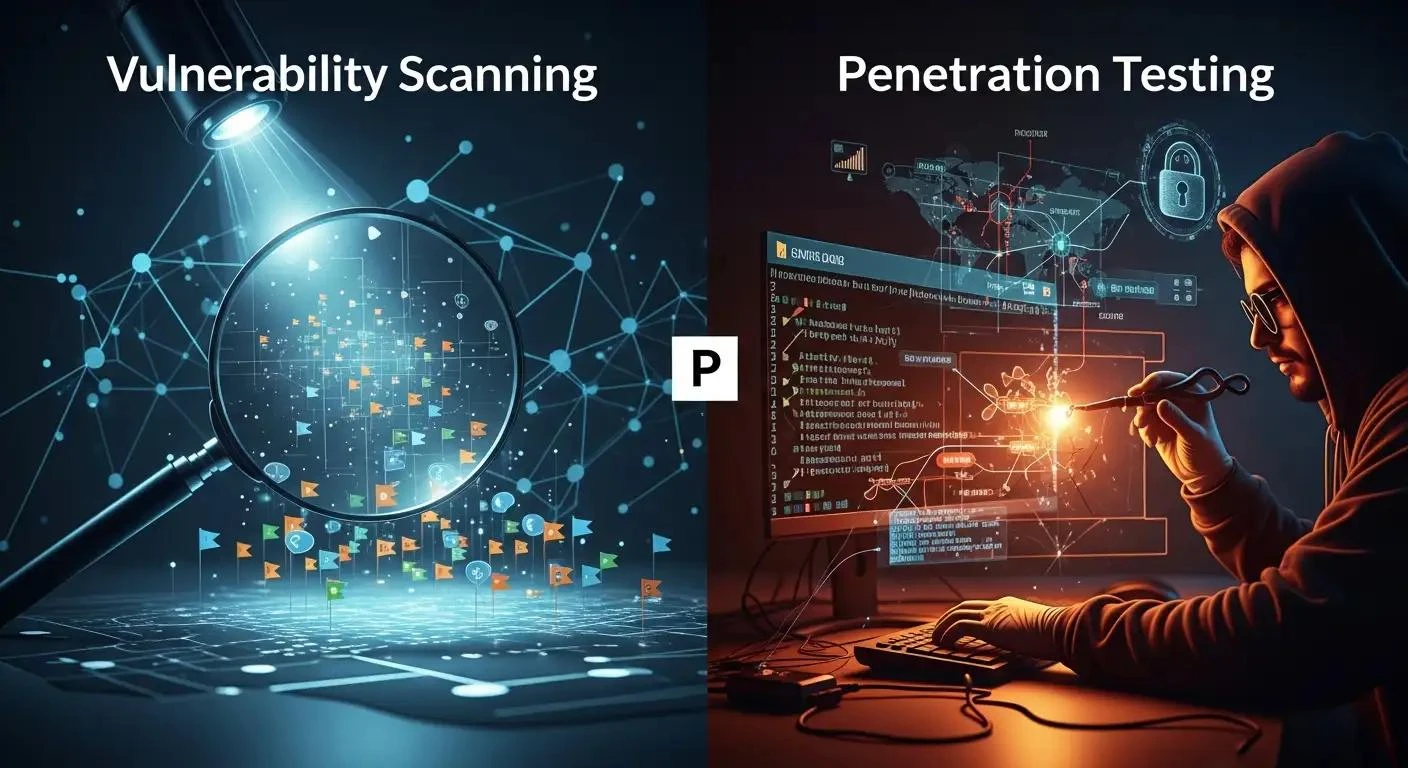
A one-time security scan and continuous monitoring serve different purposes. Both can be useful, but they should not be confused.
| Feature | One-Time Security Scan | Continuous Monitoring |
|---|---|---|
| Assessment frequency | At a specific point in time | Repeatedly or continuously, depending on the system |
| Identifying new changes | Requires another scan | May detect changes between scheduled checks |
| Suspicious activity | Usually limited to what the scan can observe | May flag activity when relevant data sources are connected |
| Security alerts | Often provided in the scan report | May provide alerts when configured conditions are detected |
| Human investigation | Usually needed to interpret findings | Still needed for validation and incident response |
| Best use | Baseline assessments and periodic reviews | Ongoing visibility and earlier detection |
Which is better? Small businesses often benefit from combining both approaches: periodic security assessments for deeper reviews and ongoing monitoring for visibility into changing risks.
Essential Features to Look for in a Cyber Security Monitoring Tool
Not every monitoring platform provides the same capabilities. Before choosing a solution, evaluate what it actually monitors, how frequently it checks assets, and how it communicates potential problems.
| Feature | Why It Matters | What to Verify |
|---|---|---|
| 24/7 monitoring | Helps maintain visibility outside office hours | Which assets are monitored, and how frequently? |
| Real-time or prompt alerts | Helps users investigate potential problems sooner | What triggers an alert, and how quickly is it delivered? |
| Website security checks | Helps identify website weaknesses | Which technologies and vulnerabilities are covered? |
| Domain and SSL monitoring | Helps track important domain and certificate issues | Are expiry dates and configuration changes checked? |
| Vulnerability detection | Helps prioritize known security weaknesses | Are findings validated and severity-rated? |
| Login and account monitoring | Helps identify suspicious authentication behavior | Which identity systems and integrations are supported? |
| Clear reporting | Helps owners understand what needs attention | Are findings explained in plain language? |
| Remediation guidance | Helps teams take the next step | Does the tool provide recommendations or automated fixes? |
A product may advertise 24/7 monitoring while checking certain assets on a schedule. Ask about coverage, check frequency, alert delivery, integrations, and response responsibilities before relying on it for critical systems.
How Sentinal Can Help with 24/7 Security Monitoring
For small businesses that want a more proactive approach to security, Sentinal is positioned as a 24/7 cyber security monitoring tool.
Rather than treating security as a task that only happens after a problem appears, businesses can explore monitoring as part of their ongoing risk-management process.
Visit Sentinal's website to learn more about the tool and its available capabilities.
When evaluating Sentinal, businesses should focus on the following questions:
- Which websites, domains, or other assets can be monitored?
- How frequently are checks performed?
- Which security events or weaknesses can trigger alerts?
- How are findings prioritized and explained?
- What integrations are available?
- Does the platform provide remediation guidance, automated actions, or monitoring only?
These details help customers understand whether a monitoring solution fits their business requirements.
For example, a small e-commerce company may prioritize website security and exposed services, while a professional services firm may place greater emphasis on account security, domain protection, and sensitive business information.
The best monitoring setup is the one that provides meaningful visibility into the risks that matter most to your organization.
How to Set Up Cyber Security Monitoring for a Small Business
You do not need to overhaul your entire technology environment in one day. Start with the assets that are most important to your business and expand coverage as your needs evolve.
Step 1: Identify Your Critical Digital Assets
Create an inventory of your business websites, domains, cloud services, employee accounts, servers, and important applications.
Record who owns each asset and who is responsible for maintaining its security.
Step 2: Assess Your Current Security Risks
Review common weaknesses, such as outdated software, weak passwords, missing multifactor authentication, exposed services, and expired certificates.
Use authorized security assessments to establish a baseline before configuring ongoing monitoring.
Step 3: Choose a Monitoring Solution
Select a tool that matches your environment and budget. Check supported assets, monitoring frequency, integrations, reporting, alert delivery, and limitations.
Avoid choosing a product based only on marketing claims. Confirm that its actual capabilities match the risks you want to monitor.
Step 4: Configure Alerts and Responsibilities
Decide which events require immediate attention and which can be handled during routine security reviews.
Assign a responsible person to receive alerts, investigate findings, and escalate serious incidents. A monitoring tool is less effective if its alerts are ignored.
Step 5: Create an Incident Response Plan
Document what employees should do if an account is compromised, malware is detected, or a website appears to be breached.
Depending on the incident, actions may include isolating affected devices, disabling compromised accounts, preserving evidence, contacting security specialists, and following applicable reporting requirements.
Do not automatically delete suspicious files or wipe affected systems before considering evidence preservation and incident-response needs.
Step 6: Review and Improve Regularly
Review alerts, investigate recurring issues, remediate vulnerabilities, and update your asset inventory.
Use lessons from security incidents and routine assessments to improve access controls, backups, patch management, and employee awareness.
How Much Does Cyber Security Monitoring Cost for a Small Business?
The cost depends on the number of assets, monitoring coverage, integrations, alerting requirements, and whether a human security team provides investigation and response.
| Solution Type | Typical Cost Considerations | Best Suited For |
|---|---|---|
| Basic security checks | Limited scope and assessment frequency | Very small businesses establishing a security baseline |
| Automated monitoring software | Pricing may depend on assets, users, or features | Businesses seeking ongoing visibility without building an internal monitoring platform |
| Managed security monitoring | Usually includes service and staffing costs in addition to technology | Businesses needing expert investigation and response |
| Enterprise security operations | Often involves multiple tools, integrations, and specialist staff | Organizations with complex environments and extensive security requirements |
There is no single price that applies to every small business. Compare the total cost with the coverage provided, the consequences of undetected incidents, and the amount of work your team must perform.
When reviewing Sentinal, check its current pricing and plan details directly on the official website rather than assuming a particular feature or service is included.
Common Cyber Security Monitoring Mistakes to Avoid
Even a good monitoring setup can leave gaps if it is poorly configured or managed.
Relying Only on Alerts
Alerts need an owner, an investigation process, and a clear response procedure. An alert that nobody reviews does not resolve the underlying problem.
Ignoring Low-Severity Findings
Some minor findings may indicate broader weaknesses, especially when several issues affect the same system. Review recurring patterns instead of dismissing every low-severity notification.
Assuming Monitoring Prevents Every Attack
Monitoring helps detect potential threats, but it cannot guarantee complete protection. Combine it with multifactor authentication, secure backups, patch management, least-privilege access, and employee training.
Monitoring Only the Website
A website is just one part of a business's digital environment. Email, identity systems, cloud services, employee devices, and third-party integrations may also require protection.
Failing to Test Incident Response
A monitoring system should be supported by a response process. Test who receives alerts, who makes decisions, and how access can be secured during an incident.
Best Practices for Stronger Small Business Cyber Security
To get more value from cyber security monitoring, combine it with established security practices:
- Enable multifactor authentication on important accounts.
- Install security updates promptly.
- Maintain tested, protected backups of critical data.
- Limit user permissions to what each person needs.
- Secure remote access and administrative accounts.
- Train employees to recognize phishing and social engineering.
- Review third-party applications and integrations.
- Maintain an inventory of business technology assets.
- Document incident-response and recovery procedures.
- Reassess security controls when the business changes.
For additional guidance, consult the NIST Cybersecurity Framework and the CISA cybersecurity resources for small and medium businesses.
These resources can help businesses build a broader security program alongside monitoring.
Frequently Asked Questions About Cyber Security Monitoring
1. What is cyber security monitoring?
Cyber security monitoring involves observing digital assets, systems, and security events to identify suspicious activity, vulnerabilities, and potential threats. Depending on the solution, monitoring may be continuous, event-driven, or performed at scheduled intervals.
2. Why is 24/7 cyber security monitoring important for small businesses?
It helps businesses maintain security visibility outside normal working hours and identify potential issues sooner. This can support faster investigation and reduce the time a threat remains unnoticed, although outcomes depend on coverage and response capabilities.
3. Can a small business afford cyber security monitoring?
Many small businesses can begin with monitoring focused on their most important assets and expand over time. Costs vary by coverage, integrations, service level, and whether expert incident response is included.
4. What is the difference between cyber security monitoring and a security scan?
A security scan checks for issues within a defined scope at a particular time. Monitoring provides repeated or ongoing visibility into supported assets and events. Combining the two can provide a more complete security approach.
5. Does cyber security monitoring automatically remove threats?
Not necessarily. Some products can perform automated actions, but others only detect issues and generate alerts. Confirm whether a specific solution supports remediation, what actions it can take, and whether human approval is required.
6. What should a small business monitor first?
Start with business-critical websites, domains, email and identity accounts, internet-facing services, and systems containing sensitive information. Prioritize assets according to business impact and exposure.
7. Is cyber security monitoring enough to protect a business?
No single control is enough. Monitoring should work alongside secure authentication, patching, backups, access controls, employee awareness, and an incident-response plan.
8. How can I get started with Sentinal?
Visit aicybersecuritytool.com to explore Sentinal. Review the currently available features, supported assets, monitoring frequency, alerting options, and plan details to determine whether the tool meets your security needs.
Final Thoughts
Cyber security monitoring is an important part of a proactive security strategy for small businesses. It helps organizations improve visibility into their digital assets, identify potential weaknesses, and investigate suspicious activity before problems become more disruptive.
However, effective protection requires more than a monitoring dashboard. Businesses should combine monitoring with secure configurations, regular updates, multifactor authentication, protected backups, and a clear incident-response process.
If you want to explore a 24/7 monitoring approach for your business, visit Sentinal and review the capabilities available for your security requirements.
Start with visibility, prioritize your risks, and build a security process your business can maintain.