Your website may look perfectly safe on the outside, but hidden security weaknesses can expose your business to hackers, data theft, malware, and unauthorized access.
A website security scanner helps identify potential vulnerabilities, configuration problems, outdated software, SSL issues, and other security risks before attackers exploit them.
Whether you run a business website, an online store, a WordPress website, or a web application, regular security checks are essential for protecting your digital assets.
In this guide, you'll learn how a free website security scanner works, which 40+ security risks you should check, how to scan your website, and why continuous security monitoring is important.
We'll also explain how Sentinal, an AI-powered security monitoring solution, helps businesses maintain better visibility into their digital security through 24/7 monitoring.
What Is a Website Security Scanner?
A website security scanner is an online tool or software solution that examines a website for potential security weaknesses, vulnerabilities, and misconfigurations.
It checks different parts of your website infrastructure to identify issues that could allow attackers to access sensitive information, compromise your website, or disrupt business operations.
A website security scan may examine:
- SSL certificates and HTTPS configuration
- Website security headers
- Exposed services and open ports
- Outdated software and vulnerable components
- Common web application vulnerabilities
- Suspicious files and malware indicators
- DNS and domain security configurations
- Authentication and login security
- Exposed credentials and sensitive information
A free website security scanner is a useful starting point for understanding your website's security condition. However, a basic scan cannot detect every possible vulnerability.
For better protection, businesses should combine security scanning with continuous monitoring, vulnerability management, and regular security assessments.
Why Should You Scan Your Website for Security Risks?
Cyberattacks do not only target large corporations. Small businesses, startups, ecommerce stores, and personal websites can also become targets.
Many attacks succeed because website owners overlook basic security problems.
Here are some reasons to scan your website regularly.
1. Identify Website Vulnerabilities
Security scanners help identify weaknesses in your website, including outdated software, insecure configurations, and potentially vulnerable components.
Finding these issues early gives your development team an opportunity to fix them before they become serious security incidents.
2. Protect Customer Information
Websites frequently collect customer names, email addresses, phone numbers, and other sensitive information.
A security weakness could expose this information to unauthorized users.
Regular security assessments help reduce the risk of data exposure.
3. Prevent Unauthorized Access
Weak passwords, exposed login panels, compromised credentials, and insecure authentication systems can make websites vulnerable to unauthorized access.
Security monitoring helps businesses identify suspicious login activity and potential account compromises.
4. Maintain Website Trust and Reputation
Visitors expect websites to protect their information.
Malware warnings, suspicious redirects, browser security alerts, and data breaches can damage customer confidence.
Keeping your website secure helps protect your brand reputation.
5. Reduce Website Downtime
Cyberattacks and security incidents can disrupt website availability.
Identifying exposed services, vulnerabilities, and suspicious activity can help businesses address risks before they lead to operational problems.
40+ Website Security Risks You Should Check
A proper website security assessment should examine more than just malware and SSL certificates.
Different security checks cover different layers of your digital infrastructure.
The following checklist contains 40+ security checks that website owners should consider.
| Category | Security risks to check |
|---|---|
| SSL & HTTPS | Expired SSL, invalid certificates, hostname mismatch, insecure HTTP, weak TLS configuration |
| Security Headers | Missing CSP, missing HSTS, missing X-Frame-Options, missing X-Content-Type-Options, insecure Referrer-Policy |
| Website Configuration | Directory listing, exposed configuration files, debug mode, default pages, information disclosure |
| Network & Services | Unnecessary open ports, exposed databases, exposed admin services, outdated service versions, insecure remote access |
| Web Application | SQL injection, cross-site scripting (XSS), CSRF, insecure file uploads, path traversal, broken access control |
| Software & Components | Outdated CMS, vulnerable plugins, outdated themes, vulnerable JavaScript libraries, unsupported software |
| Authentication | Weak passwords, missing MFA, exposed login pages, brute-force exposure, insecure session management |
| Domain & DNS | DNS misconfiguration, missing SPF, missing DKIM, missing DMARC, domain expiration risks |
| Email Security | Email spoofing risks, missing authentication policies, insecure mail configuration, exposed email credentials |
| Malware & Exposure | Malware indicators, suspicious redirects, exposed backups, leaked credentials, sensitive information exposure |
| Account & Access Security | Suspicious login activity, excessive permissions, inactive accounts, unauthorized third-party access |
These are examples of checks across different security assessment categories, not a guarantee that every scanner performs all of them. Actual coverage depends on the tool, scan configuration, permissions, and testing method.
How to Scan Your Website for Security Risks
You don't need to be a cybersecurity expert to start checking your website.
Follow these steps to perform an initial security assessment.
Step 1: Enter Your Website URL
Start by identifying the website or domain you want to assess.
Make sure you enter the correct domain and use the appropriate scanning option.
Step 2: Check SSL and HTTPS Security
Verify that your website uses HTTPS and has a valid SSL certificate.
Check the certificate's expiration date, hostname, and configuration.
You can also use the free SSL Server Test by Qualys to examine your server's TLS configuration.
External resource: https://www.ssllabs.com/ssltest/
Step 3: Check Website Security Headers
Security headers help browsers handle website content more securely.
Check whether your website uses:
- Content-Security-Policy
- Strict-Transport-Security
- X-Content-Type-Options
- X-Frame-Options
- Referrer-Policy
Missing or incorrectly configured headers may increase exposure to certain attacks.
Step 4: Review Website Software and Plugins
If you use WordPress or another CMS, check whether your software, plugins, and themes are updated.
Remove unused extensions and replace unsupported components.
Outdated software can contain vulnerabilities that attackers may exploit.
Step 5: Review Exposed Services
Check whether unnecessary services, databases, administration interfaces, or remote access points are publicly accessible.
Only scan systems you own or have explicit permission to test.
Step 6: Review Credentials and Login Security
Check for compromised credentials, suspicious login attempts, weak authentication policies, and accounts with excessive permissions.
Enable multi-factor authentication wherever possible.
Step 7: Review and Fix Security Findings
After scanning, organize the results according to their severity.
| Risk level | Meaning | Recommended action |
|---|---|---|
| Critical | Potentially severe exposure or compromise | Investigate and remediate immediately |
| High | Significant security weakness | Prioritize urgent remediation |
| Medium | Security weakness requiring attention | Schedule a fix |
| Low | Limited security concern | Include in routine maintenance |
| Informational | Configuration or visibility finding | Review and improve where appropriate |
Remember: A scanner identifies potential problems. Your security team should validate findings before making major changes.
Free Website Security Scanner vs 24/7 Security Monitoring
One of the biggest mistakes businesses make is assuming that a single security scan provides permanent protection.
A website can be secure today and become vulnerable tomorrow because of a new software vulnerability, compromised account, suspicious login, or configuration change.
This is where continuous monitoring becomes important.
| Feature | One-Time Security Scanner | 24/7 Security Monitoring |
|---|---|---|
| Security checks | At the time of scanning | Continuous or scheduled monitoring |
| SSL monitoring | During the scan | Ongoing certificate monitoring |
| Vulnerability visibility | Based on scan results | Ongoing risk visibility |
| Suspicious login activity | Limited or not included | Can be monitored |
| Leaked credentials | Depends on scanner | Can be monitored |
| Exposed services | During the scan | Ongoing exposure monitoring |
| Third-party applications | Often limited | Can provide ongoing visibility |
| Employee security behavior | Generally not included | Can be monitored |
| AI tool usage | Generally not included | Can be monitored |
| Security alerts | Report-based | Alerts based on detected activity |
The actual features depend on the provider and its monitoring configuration.
The best approach is to use both: perform regular security assessments and maintain continuous monitoring for risks that may appear between scans.
Meet Sentinal: Your AI Security Employee
Finding security vulnerabilities is only one part of protecting your business.
You also need visibility into what is happening across your website, domains, accounts, employees, and connected digital services.
Sentinal is an AI-powered cybersecurity monitoring solution designed to help businesses monitor their digital security around the clock.
Instead of relying only on occasional website scans, Sentinal provides ongoing security visibility across multiple areas of your digital environment.
What Can Sentinal Monitor?
| Security module | What it helps monitor |
|---|---|
| Website Security | Website security risks and vulnerabilities |
| Domain Monitoring | Domain-related security exposure |
| SSL Monitoring | SSL certificate status and potential issues |
| Email Security | Email security weaknesses and exposure |
| Leaked Credentials | Exposed or compromised credentials |
| Suspicious Logins | Unusual or suspicious login activity |
| Exposed Services | Publicly exposed services and infrastructure |
| Vulnerability Monitoring | Potential vulnerabilities across monitored assets |
| Employee Security Behavior | Security-related employee activity and behavior |
| Third-Party Applications | Risks associated with connected applications |
| AI Employee Tool Usage | Security visibility into employee use of AI tools |
Why Is 24/7 Security Monitoring Important?
Modern businesses use multiple platforms, applications, cloud services, and online accounts.
Monitoring only the main website may leave other security weaknesses unnoticed.
Sentinal aims to provide broader security visibility by helping businesses monitor multiple areas of their digital environment.
Its continuous monitoring approach can help businesses:
- Identify potential security issues earlier.
- Improve visibility into digital asset exposure.
- Monitor suspicious account activity.
- Identify exposed credentials.
- Keep track of domain and SSL security.
- Understand risks associated with third-party applications.
- Improve employee security awareness.
- Monitor security risks related to AI tool usage.
Protect your digital environment with Sentinal.
Explore the platform: https://aicybersecuritytool.com/
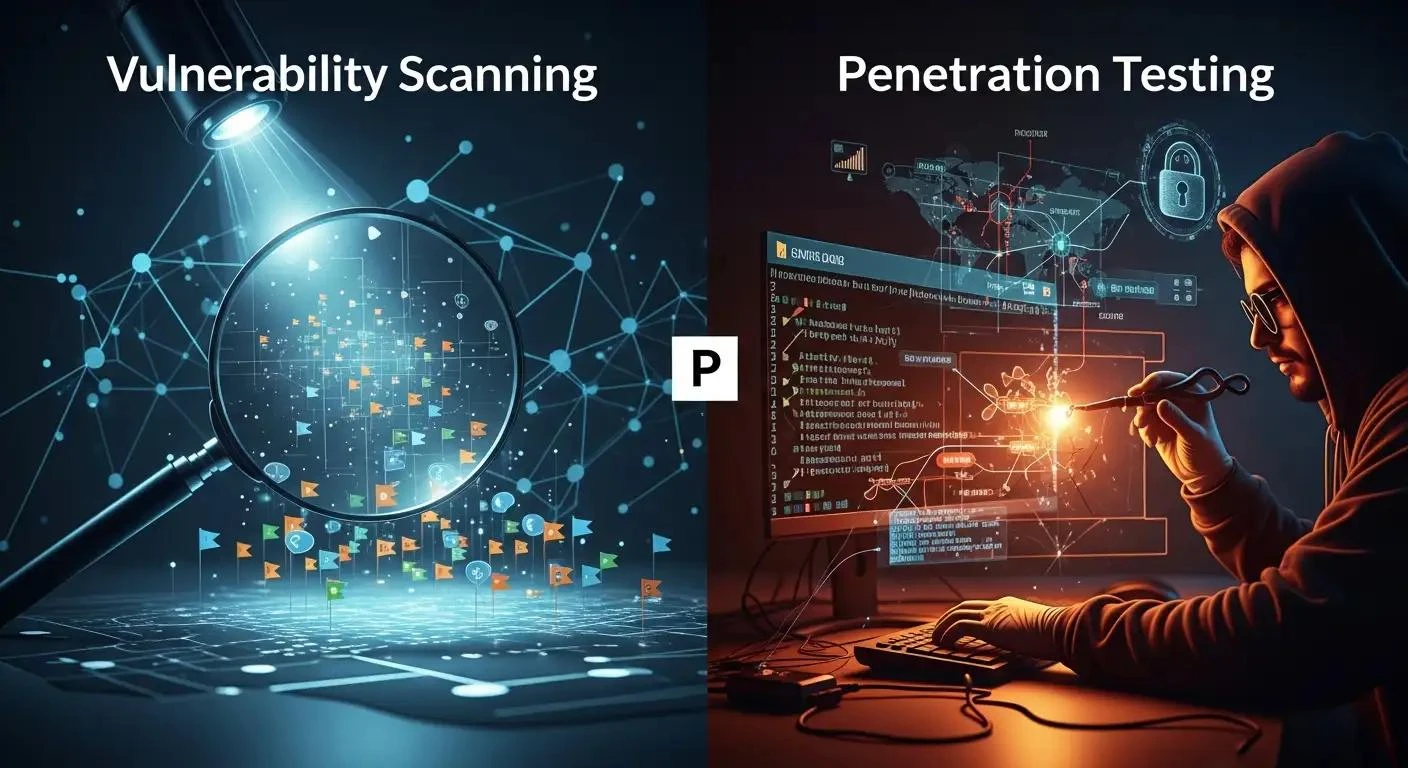
Website Security Scanner vs Vulnerability Scanner: What's the Difference?
These terms are closely related, but they are not always interchangeable.
| Comparison | Website Security Scanner | Vulnerability Scanner |
|---|---|---|
| Primary purpose | Examine website security | Identify vulnerabilities across systems |
| Main target | Websites and web applications | Servers, networks, applications and devices |
| Typical checks | SSL, headers, website configuration, common web vulnerabilities | Known vulnerabilities, exposed services, software weaknesses |
| Scope | Usually website-focused | Can cover broader infrastructure |
| Best for | Website owners and web administrators | Security teams and IT professionals |
A website security scanner can be considered a specialized type of vulnerability scanning solution.
Businesses with larger digital environments may need broader vulnerability management and security monitoring capabilities.
Best Practices to Keep Your Website Secure
Scanning your website is a good first step, but long-term security requires consistent maintenance.
Follow these security practices:
- Use HTTPS: Install and maintain a valid SSL certificate.
- Update your CMS: Keep WordPress, plugins, themes, and other software updated.
- Enable MFA: Protect administrative and employee accounts with multi-factor authentication.
- Use strong passwords: Avoid reusing passwords across different platforms.
- Monitor login activity: Investigate unusual login attempts and account behavior.
- Secure your DNS: Configure SPF, DKIM, and DMARC for your email domain.
- Remove unnecessary services: Disable publicly accessible services that your business does not need.
- Back up your website: Maintain regular backups and test recovery procedures.
- Review third-party applications: Check permissions and remove unnecessary integrations.
- Monitor continuously: Don't depend entirely on occasional security scans.
For additional guidance, consult the official OWASP Web Security Testing Guide.
You can also review the OWASP Top 10 to understand major web application security risks.
Frequently Asked Questions (FAQs)
1. What is the best free website security scanner?
The best scanner depends on what you want to examine. Tools such as Google Safe Browsing, Qualys SSL Labs, and other website security assessment tools can help check different aspects of website security.
For broader protection, consider combining security scans with continuous monitoring.
2. Can I scan my website for vulnerabilities for free?
Yes. Some online tools provide free website security checks, including SSL configuration, malware indicators, and selected vulnerability checks.
However, free scanners usually have limitations and may not examine every part of your website or infrastructure.
3. How many security risks should a website scanner check?
There is no universal number. Security coverage depends on the scanner's capabilities and configuration.
A comprehensive assessment can examine dozens of checks across SSL, DNS, security headers, exposed services, software vulnerabilities, authentication, and application security.
4. Is a website security scanner enough to protect my website?
No. A security scanner provides visibility into potential weaknesses, but it cannot guarantee complete protection.
You should combine regular scanning, security updates, access controls, backups, vulnerability management, and continuous monitoring.
5. How often should I scan my website?
You should scan your website regularly, particularly after major updates, infrastructure changes, or new integrations.
High-risk websites and business-critical applications should also have continuous monitoring to identify potential issues between scheduled scans.
6. What is the difference between website scanning and 24/7 monitoring?
Website scanning examines security conditions at a particular time or during a configured scan. Continuous monitoring helps track security-related changes and activity over time.
Both approaches are valuable for maintaining website security.
7. Can Sentinal monitor website security 24/7?
Yes. Sentinal is designed as a 24/7 cybersecurity monitoring solution. It provides security visibility across monitored areas such as websites, domains, SSL, email security, leaked credentials, suspicious logins, exposed services, vulnerabilities, third-party applications, and employee AI tool usage.
The available monitoring coverage depends on the configured modules and connected assets.
Final Thoughts: Don't Wait for a Security Breach
Your website is an important part of your business, and protecting it should be an ongoing priority.
A free website security scanner can help identify potential weaknesses, but a single scan cannot provide permanent protection against changing cyber threats.
Regular security assessments, timely updates, strong authentication, and continuous monitoring are essential for reducing security risks.
If you want broader visibility into your digital security, explore Sentinal – Your AI Security Employee.
Visit https://aicybersecuritytool.com/ and discover how 24/7 security monitoring can help your business stay aware of potential threats and security exposures.
Scan smarter. Monitor continuously. Stay secure.